No ice production is a symptom rather than a specific Samsung error code — the ice maker shares error codes with the refrigerator’s main control board, and when those codes aren’t displaying, the cause is usually something more basic worth checking in order.
Where to Start
- The ice maker’s power switch or arm, which can be accidentally bumped to the off position when loading the freezer
- A water supply line to the refrigerator that’s shut off, kinked, or frozen
- A clogged water filter restricting flow to the ice maker
- Freezer temperature running too warm to freeze water on schedule
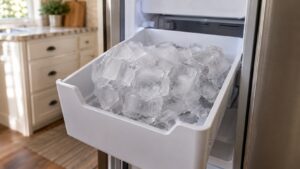
- A full ice bin with cubes clumped together, tripping the shutoff sensor even though the bin isn’t truly full
What You Can Check
Confirm the ice maker’s on/off switch or arm is actually in the “on” position — this is the single most common reason ice stops with no code shown. Check the water shutoff valve behind the refrigerator or under the sink is fully open, and inspect the supply line for kinks. If it’s been more than six months since the water filter was changed, replace it, since a clogged filter can slow ice production to a crawl before stopping it entirely.
Break up any clumped ice in the bin and confirm the freezer itself is holding a cold enough temperature — check with our freezer guide if cooling seems off overall, since a warm freezer will stop ice production before anything else shows symptoms.
When to Call a Technician
If the switch, water supply, filter, and freezer temperature all check out normally, the ice maker module or its water valve likely needs testing. Our Samsung ice maker repair technicians diagnose the exact cause on-site.
This is an independent repair service and is not affiliated with Samsung.