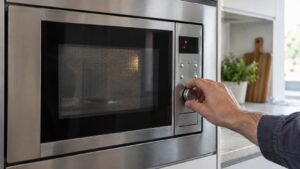
A door failure on a Samsung microwave means the control board cannot confirm the door is fully closed and latched, which is a deliberate safety lockout — the magnetron is never allowed to run unless the interlock switches verify the door is secure. This shows up either as an explicit door-related code (in the C-d0/d1/d2 family shared with Samsung’s other cooking appliances) or simply as a unit that won’t start with the door apparently closed.
What causes the interlock to fail
Microwave doors use two or three redundant interlock switches specifically because the safety consequences of a false pass are serious, so the system is designed to fail toward locking out rather than guessing. Common sources of a door failure include:
- A door that isn’t latching fully due to a bent, loose, or worn latch hook
- Food debris or residue on the door seal preventing it from closing flush
- One of the interlock switches misaligned so it doesn’t make contact even though the door looks closed
- A failed interlock switch or its wiring, which won’t report “closed” no matter how well the door seats
What to check, and why not to force it
Open and firmly close the door a few times, checking for any resistance, gap, or visible damage around the latch and hinge area. Clean the door seal and the frame it presses against, since built-up grime is a surprisingly common reason a door looks closed but isn’t seating correctly. Power the unit off at the breaker for a minute before testing again.
Never attempt to bypass, tape over, or manually defeat an interlock switch — these exist to prevent microwave leakage and are not safe to work around. If the door still won’t register as closed after cleaning and inspection, the latch mechanism or switches need professional testing and replacement.
Our microwave repair service handles Samsung door and interlock diagnostics. Manufacturer resources are at samsung.com/us/support.
Independent resource — not affiliated with Samsung Electronics.