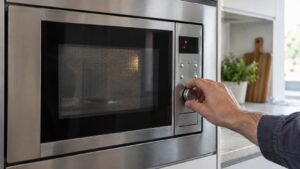
A Samsung microwave gets used more times a day than almost any other kitchen appliance, and that frequent use is exactly why small maintenance habits matter. Most microwave error codes and performance complaints trace back to food splatter, moisture, or a worn door seal rather than an actual electronic failure — and they’re easy to prevent with a few minutes of attention each week.
Clean up splatters after every use that needs it
Food splatter that bakes onto the interior walls and ceiling doesn’t just look bad — over time it can interfere with the door seal closing properly and, on models with a sensor cook feature, can affect the humidity or gas sensor’s readings. Wipe the interior down with a damp cloth once it’s cooled, and for stubborn buildup, microwave a bowl of water with a little lemon juice or vinegar for a few minutes to loosen residue with steam before wiping.
Keep the keypad clean and dry
A “-SE-” key-short code is one of the most common microwave problems, and it’s almost always caused by moisture or food debris working its way into the keypad rather than an actual component failure. Wipe the control panel with a barely damp cloth regularly, and avoid letting steam from other cooking linger directly against it. Never spray cleaner directly onto the panel.
Check the door seal and hinges
The door needs to seal fully and consistently for both safety and proper operation — a door that isn’t latching correctly is one of the more common triggers for a C-d0-type problem. Open and close the door periodically and listen for a solid, consistent latch sound. If the door feels loose or doesn’t seal evenly, it’s worth having the hinges and latch mechanism checked before it fails completely.
Don’t run it empty
Running a microwave with nothing inside, even briefly, forces the magnetron to work with nothing to absorb the energy, which can shorten its lifespan over repeated instances. If you need to test the microwave or clean it with a steam method, always include at least a cup of water in the cavity.
Check the turntable and roller guide
Uneven heating is frequently a turntable issue rather than a sensor or magnetron problem. Make sure the turntable and its roller guide are seated correctly and clean — food residue under the roller ring can cause it to spin unevenly or stop rotating altogether, which leads to hot and cold spots in your food.
Give it ventilation room
On over-the-range models especially, keep the vent area free of grease buildup so the unit can properly exhaust heat during use. A blocked vent can cause the microwave to run hotter internally than it should and contributes to premature component wear over time.
Avoid metal and closed containers
Metal cookware, twist ties, and containers with foil trim can spark and damage the interior cavity, and tightly sealed containers can build pressure and cause splatters that reach places difficult to clean, like behind the waveguide cover. Stick to microwave-safe glass or plastic with a vented lid, and check the waveguide cover — the small panel on the interior wall protecting the antenna — periodically for grease buildup that can eventually cause arcing.
When cleaning doesn’t solve it
Good habits prevent most nuisance problems, but they won’t fix a failed magnetron, door switch, or control board. If you’ve handled the basics and you’re still seeing an error code or the unit isn’t heating, it’s worth an inspection. Our microwave repair service can find the actual cause, and Samsung’s care guidance is at Samsung Support.
This guide is provided by an independent appliance repair company and is not affiliated with, endorsed by, or sponsored by Samsung Electronics.