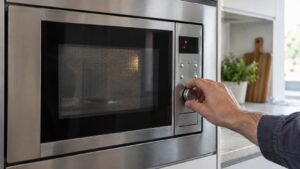
SE, sometimes shown as -SE-, on a Samsung microwave means the keypad has a key registering as continuously pressed. It’s a control-input problem, not a magnetron or heating problem, and Samsung uses this same indicator across its cooking-appliance keypads.
What’s behind the stuck-key reading
Microwave keypads report to the control board through a membrane switch layer under the button surface. The SE code appears when the board sees one of those switches staying closed longer than a normal press, usually because of:
- Food splatter or moisture that has worked its way under the keypad membrane
- Grease buildup around the edges of frequently used buttons like Start or a time-set key
- A worn membrane layer that no longer springs back cleanly after being pressed
- A control board misreading a working key
What to try before calling for service
Unplug the microwave or shut off its breaker for about a minute, then wipe down the entire keypad with a barely damp cloth, working carefully along the edge of each button where spills tend to seep in. Let it dry completely before restoring power, since residual moisture can immediately re-trigger the same code.
If SE returns as soon as the microwave powers back on, or shows up repeatedly during normal use, the keypad membrane itself has likely degraded and needs replacement rather than cleaning. On built-in and over-the-range models, the control panel is usually accessible from the front without pulling the unit, but the keypad and board are connected by a ribbon cable that’s easy to damage if handled incorrectly.
Our microwave repair service covers Samsung keypad and control diagnostics. Manufacturer resources are at samsung.com/us/support.
Independent resource — not affiliated with Samsung Electronics.