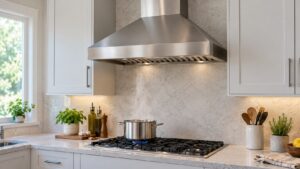
Samsung range hoods don’t produce an error code when they fail to power on, so a hood that stays completely dead is a straightforward electrical troubleshooting situation rather than a control-board diagnostic. The most common cause is something upstream of the hood itself, not a failed internal component.
What Usually Stops a Range Hood From Powering On
- A tripped breaker or blown fuse feeding the hood’s dedicated circuit
- A loose wiring connection at the junction box behind the hood, sometimes shaken loose during installation or cabinet work nearby
- A failed power cord or plug on models that connect to an outlet rather than direct wiring
- A failed control board or switch inside the hood itself, which is less common but does happen over time
What to Check First
Check your breaker panel for a tripped breaker on the circuit that feeds the hood, and reset it if needed. If the hood plugs into an outlet, test that outlet with another device to confirm it’s live. For hooded units near the cooktop, check whether a nearby GFCI outlet has tripped, since many kitchen circuits share GFCI protection and a tripped one elsewhere can cut power to the hood.
When to Call a Technician
If the breaker, outlet, and GFCI all check out and the hood still won’t power on, the internal control board, switch, or wiring inside the unit needs inspection. This typically requires removing the hood’s cover panel. Our range hood repair service diagnoses Samsung hood electrical problems.
Independent information, not affiliated with Samsung.