A Samsung wall oven installation comes down to four things: a cabinet cutout that matches your exact model, a hardwired connection to a dedicated circuit made by a qualified electrician, a unit that is level and properly supported, and clear ventilation around the oven. Samsung’s NV and NQ wall ovens are built into cabinetry, and the exact cutout size varies by model and by single or double configuration, so the installation manual for your model is the authority on dimensions. This guide covers what to check around that manual, and why a poor install can look like a failed part later.
What kinds of Samsung wall ovens are there?
According to our Samsung ovens overview, NV-series ovens are single or double-cavity electric wall ovens, and NQ-series models add built-in microwave-combo configurations that pair an oven cavity with a microwave or speed-oven unit. Three models on this site are typical: the NV51T5512SS and the NV51CG600SSRAA in the NV series and the NQ70M7770DS in the NQ series. Their pages are service profiles and do not list dimensions, so we do not quote cutout sizes. The overview also says Flex Duo dividers appear on select double-cavity models, which is one more reason to confirm your exact configuration before cabinets are cut.
How do you find the right cutout for a Samsung wall oven?
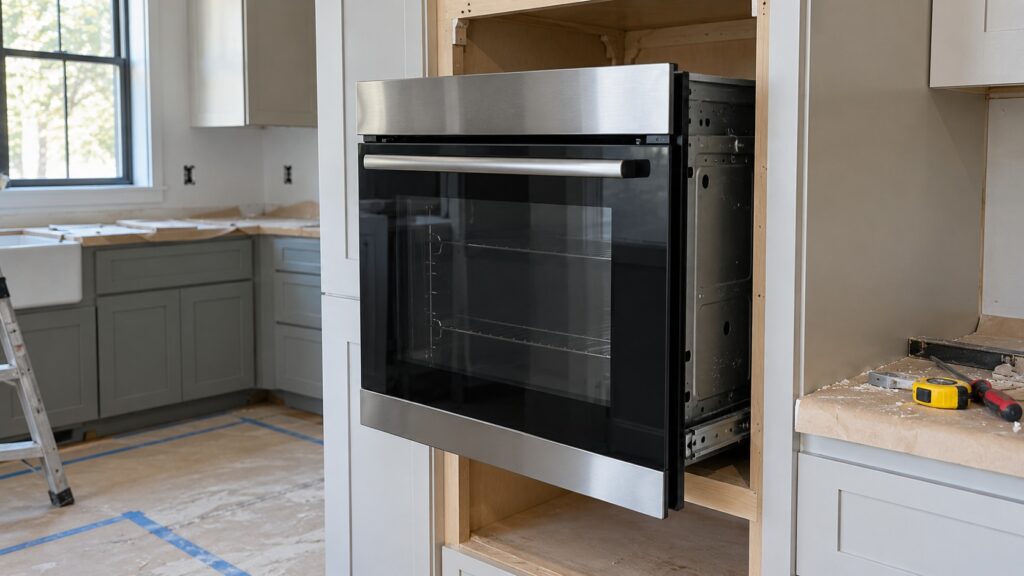
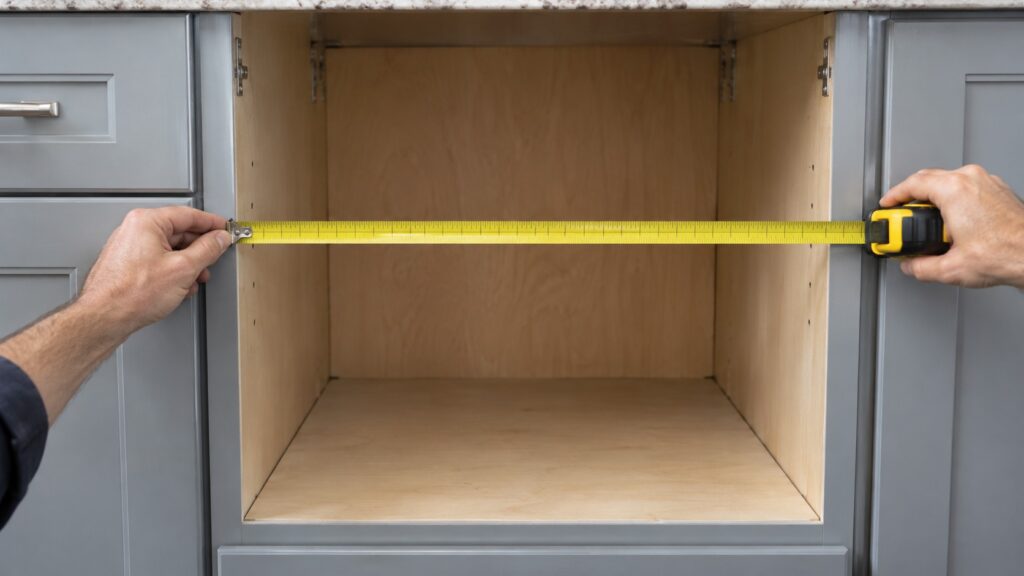
Use the installation manual for your exact model. Our Samsung oven installation checks guide says NV and NQ wall ovens require a specific cabinet cutout size that varies by model and by single or double configuration. An oven in an undersized cutout can have restricted airflow around the cavity, which affects cooling of the control board and can contribute to intermittent electronic problems over time. A tape measure across the opening is a good start, but measure against the manual’s numbers rather than a similar-looking model, and check height, width and depth. If the trim or cabinetry around the oven runs unusually hot to the touch, verify the cutout matches the manual.
What does a wall oven need for power?
A wall oven is hardwired to a dedicated circuit rather than plugged in. The installation checks guide notes that a loose wire nut or an undersized circuit for the oven’s wattage can cause display resets, element cycling issues or communication problems that mimic a control board failure. That connection should only be made or inspected by a qualified electrician or technician. Do not work on it yourself, and do not run the oven on a temporary connection. Samsung’s manual gives the electrical requirements for your model; follow those, and let the electrician confirm the circuit before the oven goes into the cabinet.
If an oven is installed and the display keeps resetting or shows C-F0, the wiring and circuit are worth checking before a control board is blamed. Both of the NV models and the NQ model listed above show C-F0, the main and display control communication problem, and SE, a touch keypad input that is stuck or contaminated.
How should the oven be supported, leveled and aligned?
Built-in wall ovens rely on side or bottom support rails specified in the installation manual, not just the front trim frame, to bear the full weight. An oven resting on trim alone can shift over months of door opening and closing, which contributes to door misalignment and latch problems that look like a failed component. A built-in oven is heavy, so plan for help moving and seating it.
Three more checks come from the same guide:
- Level: an oven that sits even slightly out of level can keep the door from seating fully against the gasket, which affects cooking performance and whether the self-clean lock engages.
- Door alignment: hinges not adjusted during installation can leave a gap at the top or bottom of the door, letting heat escape and making the oven run longer to reach the set temperature.
- Trim kit: an improperly seated trim kit can press against the door and interfere with latch operation.
It is normal for a newly installed oven to need a small adjustment after the first few weeks, as cabinetry and mounting hardware settle. If a door alignment or code problem appears soon after installation rather than after years of use, go back through the installation checklist before assuming a manufacturing defect.
Why does ventilation clearance matter?
The vent for a wall oven is typically along the top edge of the control panel or beneath a trim strip. If cabinetry, a range hood or stored items block it, the oven can trigger a C-24 code, described on our C-24 oven code page as the oven temperature rising faster than expected or venting being restricted, even though the temperature sensor itself is working. Confirm nothing obstructs the vent path before assuming a sensor replacement is needed. Our Samsung oven error code diagnostics guide lists the rest of the oven codes.
What should you check after the oven is in?
Close the door and look for an even fit against the gasket all the way around. Make sure the trim does not touch the door, nothing blocks the vent and the cabinet around the oven does not feel unusually hot after a short use. If the oven is level, properly wired, correctly seated in its cutout and the vent is clear, and you still see a temperature code, a self-clean lock that will not release or an element that will not heat, the cause is likely a genuine component failure. Our Samsung oven troubleshooting guide covers the next steps.
When should you stop and call a professional?
Call an electrician for the hardwired connection, any circuit that does not match the manual or any wiring that looks loose or damaged. Call a technician if the oven shows codes after installation, the door will not latch or the cabinet around it gets unusually hot. Do not remove panels or touch wiring yourself. If you smell burning or see sparks, switch off the oven’s breaker at the panel while standing on a dry floor and book a visit. Our Samsung oven repair page explains how a visit works.