TL;DR: Samsung Steam Clean is a short, lower-temperature oven cleaning cycle for light spills: you add a small amount of water to the oven floor, run the cycle, then wipe the loosened soil away. Use it every few weeks to keep grime from baking on, and save the full Self Clean cycle for heavy buildup. Never use chemical oven cleaner in a cycle, and let the oven cool before you open the door.
The classic self-clean cycle is a blunt instrument: several hours at very high heat, a locked door, a smell, and a lot of stress on the oven’s electronics. Many Samsung ranges and wall ovens offer a gentler alternative. Samsung oven steam clean uses water and moderate heat to soften splatters and grease, so you can finish the job with a cloth. These tips explain how to use it, when it is enough, and when you still need the full cycle. Models on this site that offer this kind of cleaning include ranges such as the NE63T8751SS and NX60T8511SS and ovens such as the NV51K6650SS; check your owner’s manual to confirm your model has it.
What is Samsung Steam Clean and how is it different from Self Clean?
Steam Clean is a short cycle, typically around twenty minutes, in which a small amount of water on the oven floor turns to steam and loosens light soil from the enamel. Self Clean is a pyrolytic cycle: it raises the oven to a very high temperature for hours and burns residue to ash. Each has its place.
The practical difference is time and stress. Steam Clean asks little of the oven, which is why it suits routine use. A full Self Clean pushes the lock motor, the temperature sensors and the control board hard, and it is a common time for an oven to throw a code. If a cleaning cycle ever ends with a code, our Samsung C-20 error code guide and the oven error code diagnostics explain the families you may meet.
How do I run Steam Clean step by step?
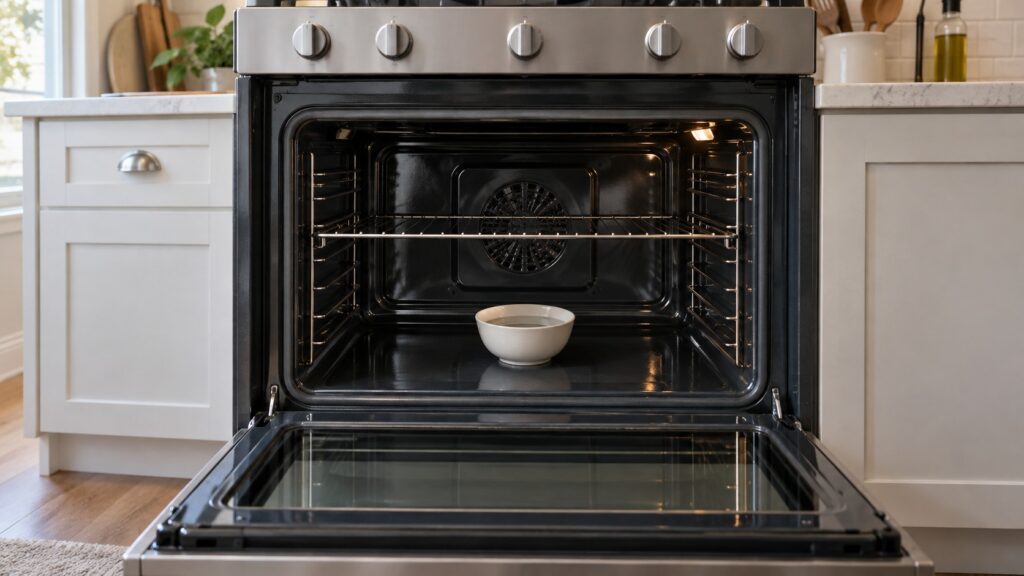
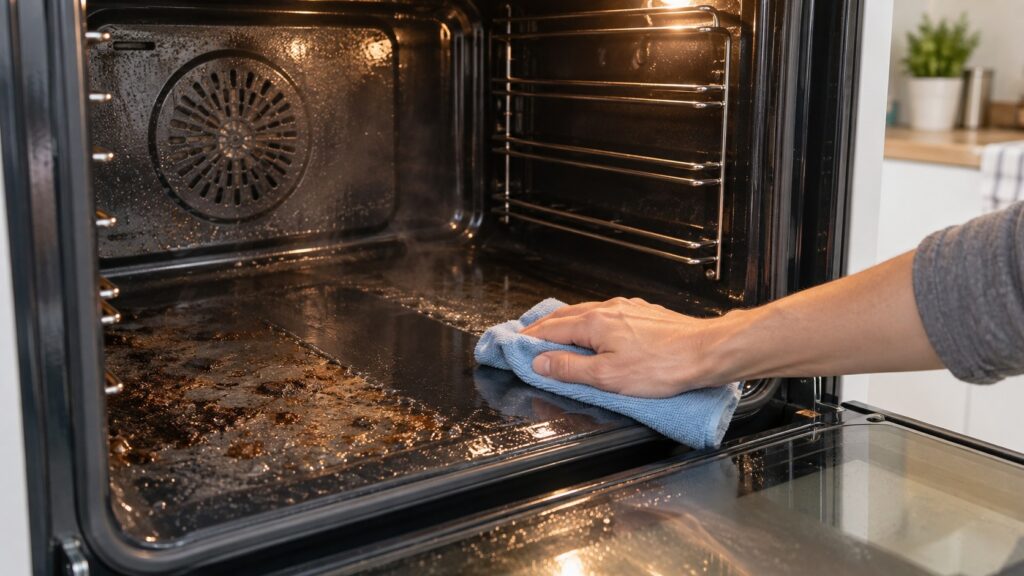
Start with a cool oven. Remove loose crumbs and anything on the floor, and take out items you do not want steamed. Pour the amount of water your manual specifies onto the floor of the oven, typically around a cup. Close the door and start the Steam Clean function from the control panel. On some models the door locks during the cycle; do not force it. When the cycle ends and the oven has cooled enough to touch safely, open the door and wipe the interior with a damp microfiber cloth or a soft sponge. Soil that was baked on will come away in a sheet; greasier spots may need a second pass.
For a heavily soiled oven, one cycle is not a miracle. A thick layer of burnt-on grease may need a Steam Clean first to soften it and a Self Clean afterwards, or several rounds. Do not be tempted to add detergent to the water, because soap in the cavity can foam, leave residue and produce smells.
Which tips make Steam Clean work better?
A few habits make a real difference. Run it on a schedule, such as after a roast or a spill, because fresh soil lifts far more easily than old. Wipe up large spills with a paper towel before they bake. Keep the water level to what the manual says: too much can overflow onto the door seal or the control area, and too little leaves dry spots. Leave the door closed during the cycle so the steam stays in. Afterwards, leave the door ajar to let moisture out so the cavity dries, which also reduces odor.
The door and its seal deserve a gentle wipe too. The seal is soft and easy to damage, so avoid scrubbing it and avoid abrasive pads. Wipe the glass with a glass cleaner on a cloth, never sprayed directly where it can run into the door vent. For routine maintenance beyond cleaning, see our guides on how to maintain a Samsung oven and oven care tips for fewer service calls.
When should I use the full Self Clean cycle instead?
Use it when there is thick, baked-on residue that steam cannot soften, and only after you have taken out the racks and wiped out loose debris. Plan for several hours when the oven cannot be used, and expect the door to stay locked until it cools. Open a window or turn on the range hood, because the smell can be strong. If you keep pet birds, move them to another room, since fumes from a high-heat cycle can be harmful to them.
Do not run Self Clean as part of regular upkeep. A mix of Steam Clean most of the time and Self Clean once or twice a year is easier on the oven. If the oven shows a door-lock code, a key error or a communication code during any cycle, stop and let it cool before you try again. Our Samsung oven troubleshooting guide covers the checks, and the range troubleshooting guide does the same for freestanding ranges.
What can go wrong, and what do the codes mean?
Most cleaning problems come down to the door lock, the keypad or the control communication. The SE code on this site means a touch key is stuck or contaminated, and wiping the panel with a dry cloth is the first fix. A dE code means the door or divider state is not recognized correctly. C-d1 on a range is the door lock circuit not reporting position correctly, often during or after a self-clean, and the page’s advice is to let the oven cool completely, wipe the panel and power-cycle at the breaker. Never force a locked door, because that can damage the mechanism.
If a code persists after the oven cools and the power is cycled, the lock motor, a key or a board needs hands-on diagnosis. See Samsung oven repair, Samsung range repair, or schedule a visit.