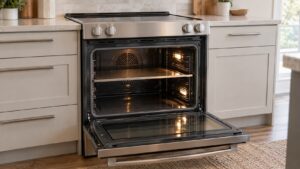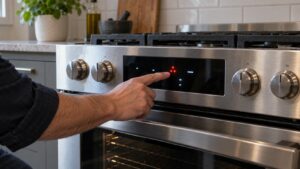
Seeing SE or -SE- on the range display points to a stuck or shorted key on the control panel, not a heating or ignition problem. Samsung ranges share this control-panel diagnostic family with several other Samsung cooking appliances, and the display is telling you the touch panel or membrane has registered a continuous key press even though nothing is being touched.
What triggers the SE code
The control board constantly scans the touch panel for input. If one key reports as “pressed” longer than the board expects, it locks out normal operation and shows SE so the range does not run unsupervised with a phantom command. Common causes include:
- Moisture, grease film, or a spill trapped under the control overlay
- A worn or delaminating touch panel membrane
- A stuck physical button on models with hybrid touch/mechanical controls
- A failing main control board that misreads a normal, unstuck key as held down
What you can check before calling for service
Start by powering the range off at the breaker for about a minute, then restoring power — this clears a temporary lockout on many units. While it is off, wipe the entire control panel with a barely damp cloth and dry it thoroughly, paying close attention to the seams around each key where liquid tends to collect. Avoid pressing hard on any single key while cleaning, since pressure itself can trigger the problem on a worn membrane.
If the SE code returns immediately after power-up, or comes back within a few uses, the issue is almost certainly hardware rather than a one-time input glitch. A technician can test the touch panel and control board separately to confirm which one is misreporting the key press before replacing either part.
For hands-on diagnosis and repair of Samsung range controls, see our range repair service. Samsung support documentation is available directly at samsung.com/us/support.
This page is an independent repair resource and is not affiliated with, endorsed by, or sponsored by Samsung Electronics.