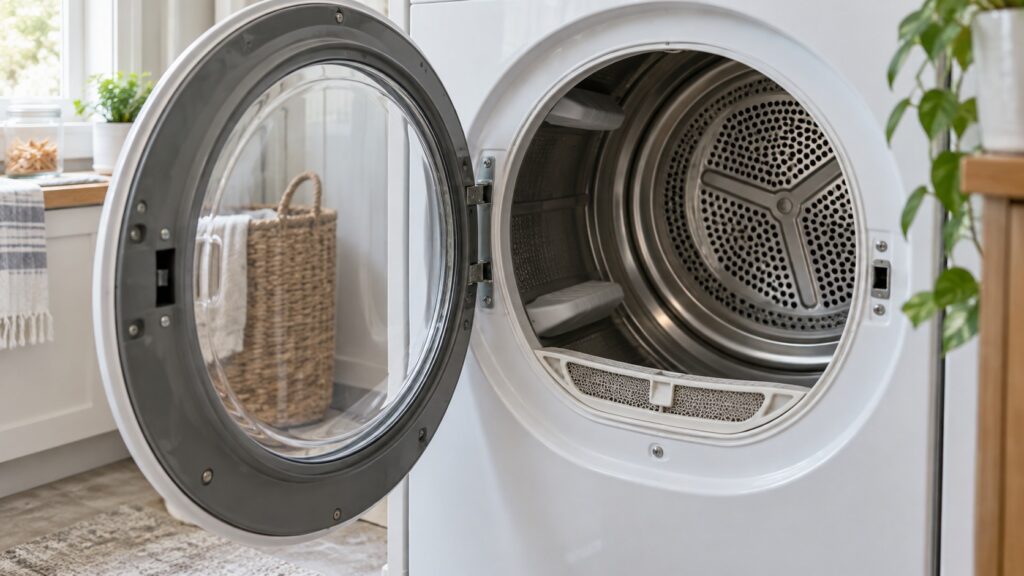
If your dryer stops after fifteen minutes with the clothes still damp, or runs for two hours on a small load, the odds are good that the fault is a film of residue on two small metal strips inside the drum. The samsung dryer moisture sensor is how the machine decides a load is dry, and cleaning it takes two minutes with something you already own.
How the sensor decides
The two strips carry a small voltage. When a damp garment tumbles across both at once, it completes the circuit and current flows; water conducts and dry fabric does not. The control watches how often that happens and how strongly, and as the load dries the contacts become rarer and weaker.
When the readings fall below a threshold for long enough, the machine decides the load is dry, runs a cool-down and stops. That is the whole mechanism, and its simplicity is why residue defeats it so completely.
Why fabric softener is the villain
Liquid fabric softener and dryer sheets both work by depositing a thin waxy coating on fibers. That coating transfers to everything the fabric touches, including the sensor strips, and it builds up invisibly over months.
The coating is slightly conductive, especially when warm. So the sensor reads a bridge between the strips even when the clothes are bone dry, the control concludes the load is still wet, and the cycle runs on. People report dryers that take two hours, or that only stop on the timer.
The same coating also builds up on the lint filter mesh, where it restricts airflow without looking like it is doing anything. Hold the filter under a running tap: if water pools on the mesh instead of running straight through, it needs washing with warm soapy water and a soft brush.
Cleaning the strips
- Unplug the dryer or switch off its breaker.
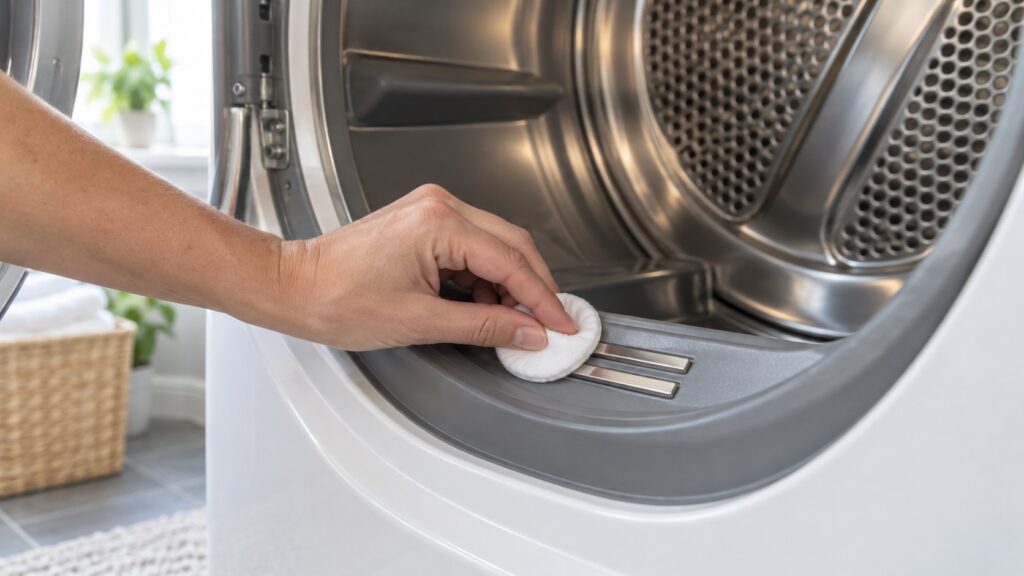
- Find the strips. Two short metal bars, usually just inside the drum near the lint filter housing, sometimes on the front bulkhead.
- Dampen a cloth or cotton pad with rubbing alcohol. Not water, which does not remove the wax, and not an abrasive.
- Wipe each strip firmly along its length until the cloth comes away clean.
- Let it dry fully — a minute is enough — before restoring power.
- Run a normal sensor cycle with a real load and see whether the time returns to normal.
Do not sand or scrape the strips. They are a thin conductive surface and removing it does not improve contact.
When cleaning does not fix it
If cycles are still wrong after cleaning, the next candidates split by direction.
- Still too long, clean strips: restricted airflow. A blocked vent means moist air is not leaving, so the clothes genuinely are still wet and the sensor is right.
- Stops too early, clothes damp: a sensor wire that has come adrift, a failed sensor, or a control reading it incorrectly.
- Stops early, drum barely warm: a heating fault rather than a sensing one.
- Times vary wildly load to load: often load size. Very small loads dry in patches and rarely bridge the strips, which is why a single towel behaves oddly.
That last point is worth knowing before you suspect a fault. Sensor drying works poorly on one or two items, and using a timed cycle for tiny loads is the correct answer rather than a workaround. Our dryer troubleshooting guide covers the rest.
Sensor drying against timed drying
Most machines offer both, and they are not two versions of the same thing. A timed cycle runs for as long as you set, whatever the clothes are doing. A sensor cycle runs until the load reads dry, then adds a cool-down.
Sensor drying is better for almost everything, because it stops when the job is done rather than continuing to heat fabric that is already dry — which is what wears clothes out, shrinks them and sets creases. It also uses less energy on a load that dries quickly.
Timed drying earns its place in two situations: very small loads, where there is not enough fabric to reliably bridge the sensor, and items that never quite read dry, such as a single heavy comforter. Using it deliberately for those is good practice; using it for everything because the sensor cycle “does not work” is a sign the strips need cleaning.
The airflow half of the same problem
A dryer removes moisture by carrying it outside. Everything that restricts that path makes cycles longer, makes the machine run hotter, and stresses the heater and the motor.
Clean the lint filter every load, wash it a few times a year, and have the vent run checked annually — more often if it is long or has several turns. Feel the exterior vent hood while the dryer runs: strong warm air means the run is clear, a weak trickle means it is not.
Our dryer maintenance guide covers the full routine, and the care tips guide covers the habits that keep it there.
Reducing the residue in the first place
Use less fabric softener than the bottle suggests, or switch to dryer balls, which do much of the same job mechanically without depositing anything. If you like softener, accept that the sensor needs cleaning more often and put it on a schedule rather than waiting for symptoms.
Towels are worth a special mention: softener reduces their absorbency as well as coating the sensor, so many people stop using it on towels for reasons that have nothing to do with the appliance.
When to call
Call when cycle times are still wrong after cleaning the sensor and clearing the vent, when the dryer stops early with a cold drum, when it runs without heating, or when it cuts out and will not restart until it has cooled — that last one is thermal protection reporting that something is working too hard.
We are an independent repair company and not a factory service arm. Pricing starts from a diagnostic visit and we confirm the estimate before any work begins. Samsung dryer repair covers sensors, heating, airflow and controls, and you can schedule a visit online.