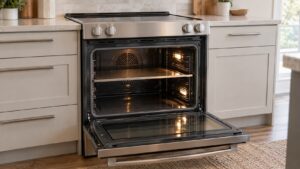
C-d0 on a Samsung range belongs to the shared C-d family of door and key codes used across the MICOM control system on NE and NX ranges. It signals the board is not getting the door or control-panel input it expects, often related to the door latch or lock switch.
What can cause C-d0
- A door latch or lock switch that isn’t engaging fully, especially relevant if self-clean was recently used, since that cycle locks the door electronically
- A door switch that has failed and is sending an inconsistent signal even when the door is closed normally
- Debris or grease buildup around the latch mechanism preventing it from seating correctly
- A stuck button on the control panel that is being read as a continuous input alongside the door signal
What to check
- Open and close the oven door firmly a few times, listening for the latch clicking into place normally
- If self-clean was run recently, wait for the cycle and cool-down to fully finish, since the door can stay locked until the interior temperature drops
- Wipe down the latch area and door frame to check for grease or food debris interfering with the mechanism
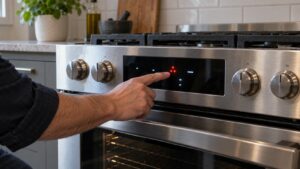
- Press each button on the control panel individually to see if any feel stuck or don’t spring back
If the door was recently in a self-clean cycle, giving it time to finish cooling often clears C-d0 without any repair needed. If the door latches and unlatches normally by hand but the code keeps appearing, the door switch itself is the more likely problem and should be tested rather than forced, since continuing to run cycles with a faulty door signal can affect how the oven manages heat.
Our range repair service can test the door switch and latch assembly.
Independent repair resource, not affiliated with Samsung Electronics.