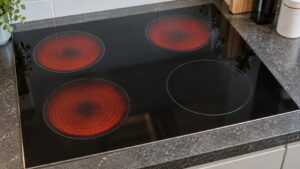
C-F2 on a Samsung cooktop is a communication problem, indicating the main control board and the touch panel or relay board have lost a reliable signal path between them. It’s part of the same C-Fx family as C-F0 and C-F1, and the specific number generally reflects which pair of boards or which stage of the handshake failed.
What Causes This Communication Break
- A loose or partially disconnected ribbon cable between the control board and touch panel
- Corrosion at a connector, often from moisture working its way in near the cooktop’s edge
- A relay board that has stopped passing signals correctly
- A main control board failure affecting its ability to send or receive commands
What You Can Try
Cut power at the breaker for a full minute, then restart the cooktop, since C-F2 sometimes clears if the disruption was a temporary glitch rather than a failed connector or board. Dry off the touch control area completely if there’s any visible moisture or spill residue, as that can interfere with the capacitive sensors feeding into the communication circuit. Avoid repeated attempts to activate burners while the code is active.
When to Schedule Repair
If the problem returns after a reset, the connector, relay board, or main board needs hands-on diagnosis, which usually means pulling the cooktop from the countertop to access the wiring underneath. Trying to bypass the touch panel yourself isn’t a safe workaround on a sealed glass cooktop. Our cooktop repair service diagnoses and resolves Samsung cooktop communication problems.
Independent repair information, not affiliated with Samsung.