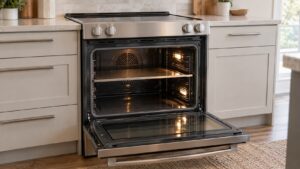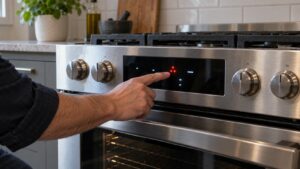
A Samsung range earns its keep every day, which means grease, spills, and heat cycling take a real toll if they’re not managed. Most range service calls trace back to buildup or debris rather than actual part failure, and a modest amount of regular care keeps burners, the oven cavity, and the control panel working the way they’re supposed to.
Clean spills before they bake on
Every boil-over or grease splatter that gets left to bake on during the next cook becomes progressively harder to remove and, over time, can interfere with burner ignition or clog the oven vent. Wipe the cooktop down while it’s still warm (not hot) after cooking, and do a deeper clean of the oven cavity every few months rather than waiting for visible buildup. This single habit prevents a large share of igniter problems and uneven heating complaints.
Keep the oven vent clear
The oven vent, usually located near the back of the cooktop or under the control panel, releases heat and moisture from the oven cavity during cooking. If it gets blocked by grease or debris, the oven can run hotter than the set temperature or trigger a C-24 fast-temperature-rise code. Check it during your regular cooktop cleaning and clear any visible buildup with a damp cloth.
Don’t use foil to line the oven floor
Lining the bottom of the oven cavity with aluminum foil is one of the more common ways owners accidentally cause damage — it can trap heat against the oven floor, discolor or warp it, and block airflow the sensor relies on for accurate temperature readings. Use a rack-level drip pan or oven-safe liner designed for that purpose instead, positioned on a rack rather than directly on the floor.
Check burner and igniter cleanliness on gas models
On NX gas and dual-fuel ranges, burner caps and igniters need to stay free of food debris and moisture to spark reliably. If a burner is clicking repeatedly without lighting, or lighting with a delay, remove the burner cap and grate and clean around the igniter with a soft brush before assuming the igniter itself has failed — trapped debris is a far more common cause than a burned-out part.
Wipe the control panel gently
Grease and moisture working their way under touch-panel buttons over time is a leading cause of stuck-button problems. Wipe the panel with a soft, barely damp cloth rather than spraying cleaner directly onto it, which can seep behind the panel. Avoid abrasive pads on the display or button area.
Calibrate if your baking seems consistently off
If your oven consistently runs hot or cold compared to the set temperature but isn’t throwing a sensor code, most Samsung ranges have a temperature offset adjustment in the settings menu that can correct for it without needing a technician visit. Check your owner’s manual for the exact steps, since the menu path varies slightly by model.
When cleaning isn’t the fix
Regular care prevents most range problems, but a genuinely failed igniter, sensor, or control board needs an actual repair. If you’ve cleaned everything and you’re still seeing an error code or inconsistent heat, it’s worth having it inspected. Our range repair service can diagnose the cause, and Samsung’s care guidance is at Samsung Support.
This guide is provided by an independent appliance repair company and is not affiliated with, endorsed by, or sponsored by Samsung Electronics.