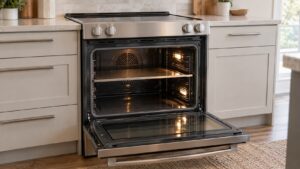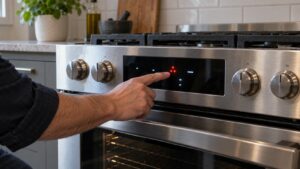
Samsung ranges and ovens share a common MICOM control system, so the error codes you see on an NE electric or NX gas range display come from the same C-xx and E-xx family used across Samsung’s cooking appliances. Knowing what each prefix points to can save a lot of guesswork. This guide is independent and not affiliated with Samsung.
Communication and board codes
C-F0, C-F1, and C-F2 all indicate a communication failure between the main control board and the display or relay board. Before replacing anything, check the ribbon or wire harness connecting these boards — a loose connector is a frequent cause and is far cheaper to fix than a board. These codes can also appear intermittently after a power surge, in which case a full power cycle (unplugging the range for a minute) sometimes clears a false trigger.
Door and key codes
C-d0, C-d1, and C-d2 relate to the oven door switch or a stuck control panel key. If the code appears only when you try to run self-clean, the door latch mechanism is the most likely cause, since self-clean requires the door switch to confirm a full lock. If the code appears randomly during normal baking, suspect a stuck or sticky button on the control panel itself rather than the door.
Temperature sensor codes
- C-20, C-21, C-22: these point to the oven temperature sensor (RTD probe) reading out of range, either open or shorted. This is usually a direct sensor replacement rather than a board issue.
- C-10: a sensor self-test failure that runs during startup diagnostics — treat this the same as C-20 through C-22 and check the probe and its wiring.
- C-24: the oven is heating faster than the control expects, or the exhaust vent is blocked. Check for anything stored on top of the range blocking the vent before assuming the sensor itself is bad.
Other codes to know
A bare “d0” on the display typically means a stuck button somewhere on the control panel, distinct from the C-d0 door code — press each button individually to isolate which one is sticking. On induction cooktop-equipped range models, an underlined “u” symbol under a burner zone means the pan detection circuit doesn’t sense compatible cookware on that element; this is not an error code in the traditional sense and usually means switching to a flat-bottomed magnetic pan resolves it immediately.
Codes that are not genuine Samsung error codes
If you see a bare E0, E1, E2, or E5 code with no letter prefix on a Samsung range or cooktop display, that is not part of Samsung’s documented code set for these appliances — double-check the exact characters shown, since it’s easy to misread a dash or a partial digit on an older display.
Reading the display correctly
Samsung’s range codes use a consistent “C-” prefix format, and mistaking a dash for a different character on an older or dimming display is a common source of confusion. If you’re unsure exactly what’s shown, cycle the power briefly and watch how the code re-displays during startup, since some models re-show the active problem clearly during the initial self-test sequence.
When to call a technician
Sensor and door codes are often straightforward part replacements once confirmed, but board-level communication problems (C-F0 through C-F2) deserve a proper diagnostic before any part is ordered, since misdiagnosing a wiring issue as a board failure wastes both time and money. Visit our range repair service page to schedule a visit, and check our range error code reference for additional detail.
This guide is provided by an independent appliance repair service and is not affiliated with, endorsed by, or sponsored by Samsung Electronics.