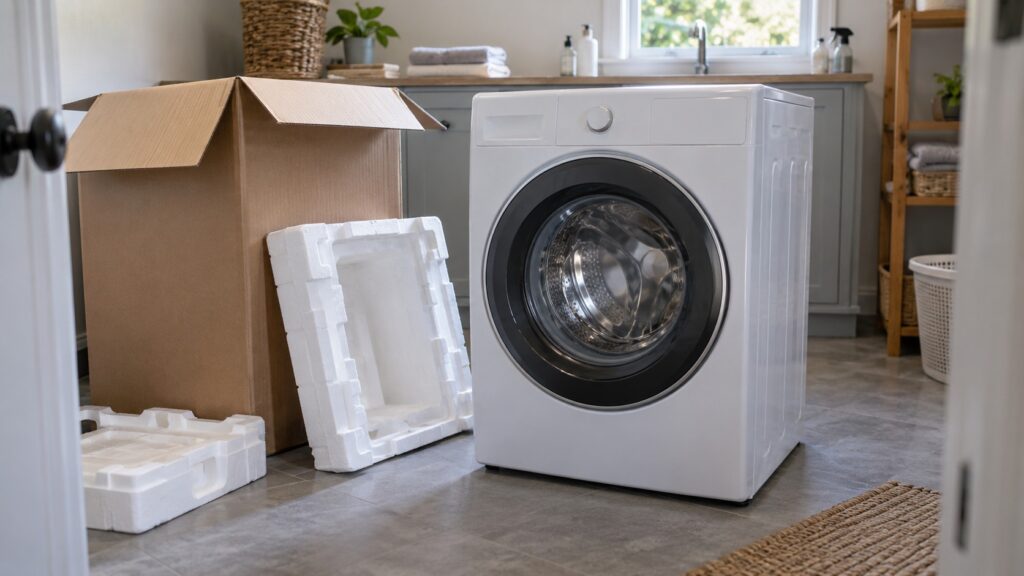
TL;DR: A new Samsung front-load washer ships with four transit bolts through its back panel that lock the drum for the trip, and they must come out before the first load. After that, level all four feet until the cabinet cannot rock, check the hoses, and run an empty cycle. Skipping any of these is the main reason a brand-new Samsung washer shakes, walks or throws an Ub code.
Almost every vibration complaint about a new washer has the same story: the machine sat on the floor for a week, shook the room on spin, and the owner assumed it was defective. In most cases the transit bolts were still in the back, or the feet were never adjusted. This guide covers a Samsung washer installation from the carton to the first wash, centered on the samsung washer transit bolts, the leveling and the hose checks that keep the machine quiet. It is written for front-load models such as the WF45B6300AW, WF45T6000AW and WF50BG8300AV listed on this site.
Why does a Samsung washer have transit bolts?
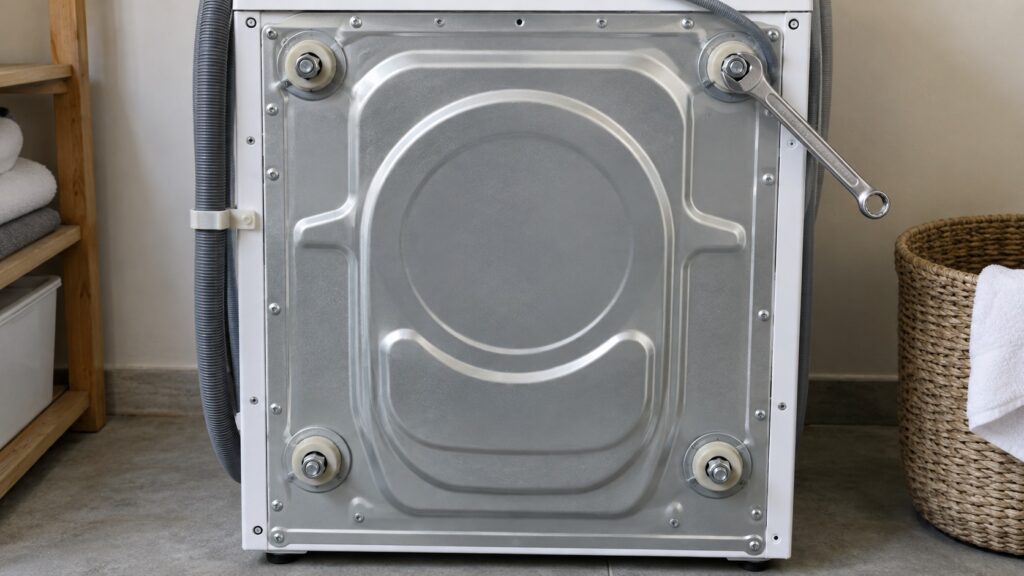
A front-load drum hangs on springs and dampers inside the cabinet, free to move so it can absorb the spin. During shipping, that freedom is a problem: the drum would swing and bang against the cabinet. To stop it, the factory fits long bolts through the back panel into the drum assembly, locking it in place. Rubber or plastic spacers are often included to hold the bolts in position.
Those bolts are meant for transport only. If they stay in, the drum cannot move, and the whole cabinet takes the force of every spin. You get violent shaking, loud banging, a machine that walks across the floor, and often an unbalanced-load code. Always check the back of a new washer before you move it into position, because the bolts are easier to reach before it is against the wall.
How do I remove the transit bolts?
Do this before the washer goes anywhere near its final spot. With the washer standing upright, turn it so you can see the back. Loosen each bolt a little at a time and pull it out along with its spacer. Count them; a typical front-load washer has four, and one forgotten at a corner is enough to make the machine misbehave. Fit the plastic caps over the holes so nothing falls into the cabinet.
It is worth taking a moment to confirm that all four came out. Try the drum: with the door open, push it gently side to side. A freed drum has a little play and rocks on its suspension. A locked drum does not move at all. If you moved into a house where the washer was already installed, and it shakes, this is the first thing to check.
How do I level a Samsung washer?
Leveling is the second half of quiet installation. Move the washer into position and place a small level on top, checking side to side and front to back. Turn the feet to adjust, then tighten the lock nuts against the cabinet so they do not creep. Press down on each top corner in turn. If the washer rocks, a foot is not touching the floor. Keep adjusting until all four hold.
The floor matters as much as the feet. A washer on a bouncy wooden floor transmits spin forces into the whole room, and no amount of leveling will remove that. Choose the most solid spot you can, ideally against a wall or on a concrete slab, and avoid placing the machine on a soft mat. If the floor flexes, a technician or a carpenter can advise on reinforcing it. Our Samsung washer installation checks guide lists what else to rule out before you blame the machine.
What should I check on the hoses and drain?
The hot and cold inlet hoses connect to the valves at the back, and each has a small screen that catches debris. Make sure the hoses are tight, not kinked behind the washer, and that hot and cold go to the right valves. The drain hose must sit in the standpipe or sink at the height your installation guide gives, with an air gap so siphoning cannot empty the tub by itself. Do not push the washer back hard against a stack of hoses; a crushed hose is the usual cause of fill and drain codes in new installations.
Two codes tell you about hose problems. The 4C code means the water supply is restricted or the inlet valve is not filling correctly, and the 5C code means the drain system is restricted or the pump cannot clear water. If either appears on the first cycle, look at the valves and hoses before suspecting a part.
How do I test the installation?
Run a first cycle with no laundry, using the cleaning or the shortest wash setting, and stay close for the spin. Listen for banging, watch for movement, and check the hoses for drips. Then run a small load with a mix of items and see how it spins. Place your hand on the top during spin: slight vibration is normal, but anything that rattles the room is not.
If the washer shows Ub, it is reporting an unbalanced load; redistribute the laundry first, then check the bolts and feet. The 8C code means the vibration sensor is reporting abnormal movement, which can follow a washer that is still on its transit bolts or is badly out of level. A dC code on this site is a door-lock issue, not an imbalance, so do not mix it up with these; our Samsung washer dC error guide explains it. The Samsung washer self-test mode guide shows how to run a built-in check.
When is it time to call for help?
If the bolts are out, the feet are level, the hoses are clear and the washer still shakes or shows a code, the problem is no longer the installation. It may be a worn damper, a failed suspension part or a sensor. Our Samsung washer troubleshooting guide covers the next steps, and Samsung washer repair lists what we test. When you need a technician, you can schedule a visit and tell us what you have already ruled out.