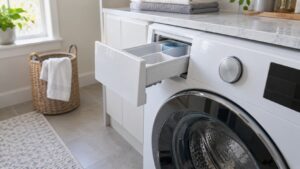
TL;DR: A Samsung front-load washer has a small drain pump filter behind an access door at the bottom front of the cabinet. Clean it every few months: unplug the washer, set a shallow pan underneath, unscrew the filter slowly, clear out lint, coins and socks, check that the impeller spins, and screw it back in fully. A packed filter is the leading cause of the 5C drain error.
Pockets, pet hair and small socks all end up in the same place, and it is not the drum. Anything that slips past the holes in the drum falls to the drain pump filter, which is a trap designed to protect the pump. Most owners never open it until the washer stops draining. This guide on the samsung washer drain pump filter shows where it is, how to clean it without flooding the floor, how often to do it, and what it tells you when it comes out clean.
Where is the drain pump filter on a Samsung washer?
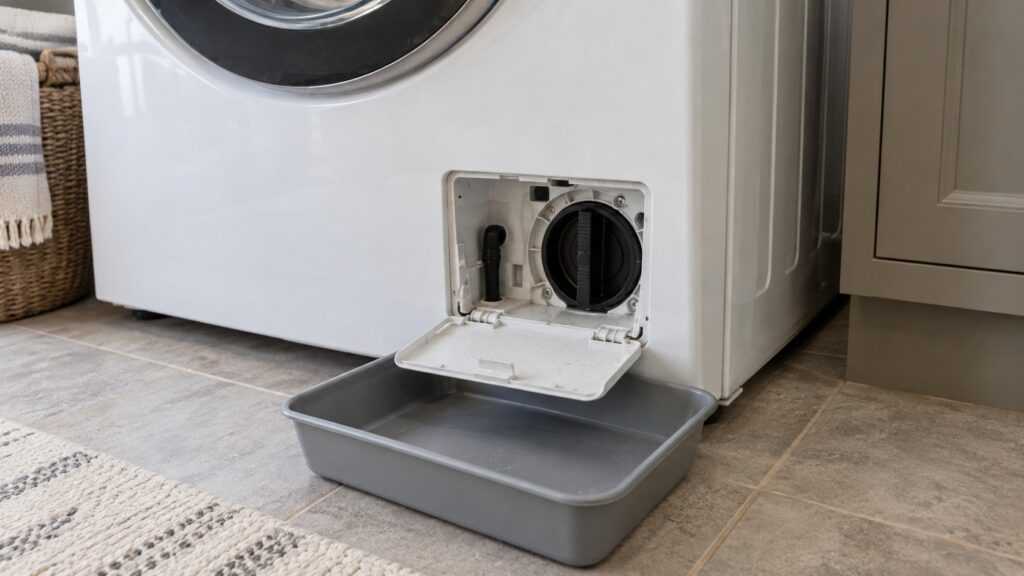
On front-load Samsung washers it sits at the bottom front of the cabinet, behind a small rectangular access panel. Some models have a panel that pulls off with a fingernail or a coin; others hinge open. Behind it is a round cap, which is the filter, usually with a small drain tube clipped beside it. The filter holds back lint, buttons, coins and loose items so they never reach the pump impeller.
Top-load models do not use the same arrangement, and some have no user-serviceable filter at all. Check your owner’s manual for the layout of your model before you start. The models on this site that follow the front-load pattern include the WF45B6300AW, WF45T6000AW and WF50BG8300AV.
How do I clean the filter without flooding the floor?
Preparation is the whole trick, because the filter holds back a tub’s worth of leftover water. First, make sure the washer is not running and unplug it. Lay towels on the floor and set a shallow pan under the access panel; a baking dish works well. If your model has a small drain tube beside the filter, pull it out, uncap it and let the water run into the pan, pausing to empty the pan as it fills.
Then open the filter slowly. Turn the cap counterclockwise a little at a time and let water trickle out. Do not unscrew it all the way at once, or the whole contents can spill out in one rush. When the water has stopped, remove the filter, tip out the debris and rinse it under running water. Reach into the opening, if you can, and spin the small impeller by hand; it should turn freely. If it is stiff or jammed, something is lodged in the pump.
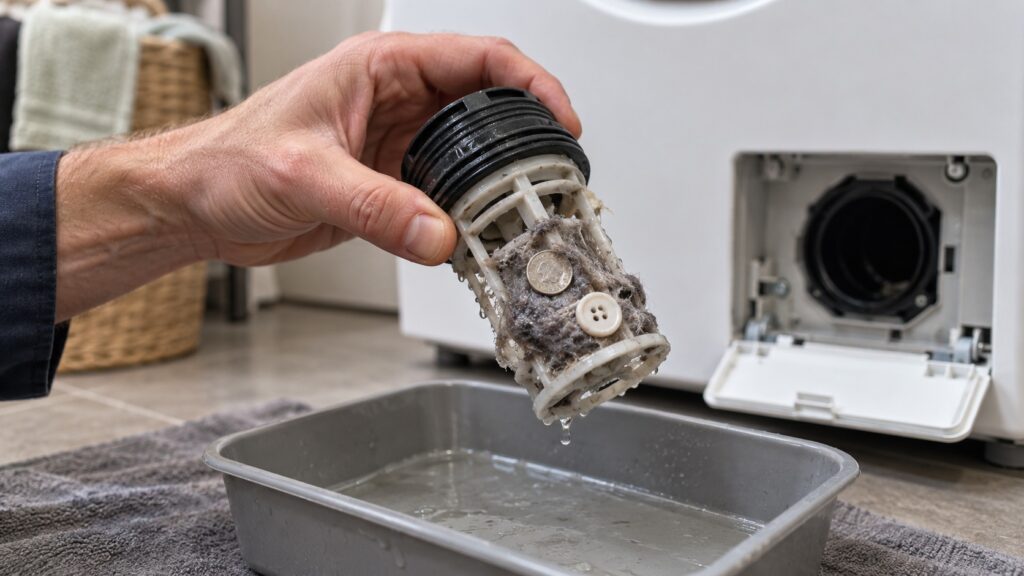
Refit the filter by turning it clockwise until it is fully seated and snug. A filter that is not all the way in leaks, and a leak can look like a failure somewhere else. Clip the drain tube back in place, replace the access panel, plug the washer in and run a short rinse and spin cycle to check for drips and for normal draining.
How do I know the filter was the problem?
The 5C code is the clearest sign. On this site, 5C on a Samsung washer means the machine cannot drain the tub within the expected time, so the control halts the cycle rather than spin against standing water. A filter packed with lint, coins, buttons or a stray sock is the first cause the page lists, followed by a kinked or sagging drain hose, a clogged standpipe, and a worn pump. Other signs are standing water at the end of a cycle, a gurgling or humming from the base, slow draining, and a musty smell from water that never fully leaves the pump area. Our page on the Samsung 5C error gives the full list.
If the tub drains normally after cleaning, the blockage was the fix. If 5C returns at once, the next suspect is the hose, the standpipe or the pump motor. Pull the washer out far enough to look at the drain hose for kinks, and check that the standpipe is not backed up. A pump that hums but moves no water, or one that stays silent when the cycle calls for draining, needs replacement.
What should I do if the water is dirty or there is something odd in the filter?
What comes out of the filter tells you about the load. A lot of lint suggests overloaded loads or too much towel material; small plastic parts or coins suggest checking pockets; hair and fibers suggest a pet-heavy household. Rinse and reinstall in every case. If you find pieces of rubber, metal shavings or fragments of the drum’s hardware, however, something inside the machine is breaking up, and a technician should look before the pump is damaged.
Do not force a stuck filter. A cap that will not turn may be cross-threaded or jammed, and breaking it turns a five-minute chore into a part replacement. If water keeps flowing or the cap will not budge, stop and call for help rather than risk a flood.
What else belongs on the washer maintenance list?
The pump filter is one piece of a short routine. Wipe the door boot and leave the door ajar so it dries; run the self-clean cycle on a schedule, as covered in our Samsung washer Self Clean+ guide; and use the right amount of low-sudsing detergent. The broader checklist is in our guide to maintaining a Samsung washer, with more everyday habits in washer care tips for fewer service calls. If the washer shakes instead, the cause is more likely setup than drainage; see Samsung washer transit bolts and leveling.
When a clean filter does not fix the drain problem, the Samsung washer troubleshooting guide is the next step. For an older washer with repeated drain faults, repair or replace helps you weigh the cost. To have a pump tested, see Samsung washer repair or schedule a visit.